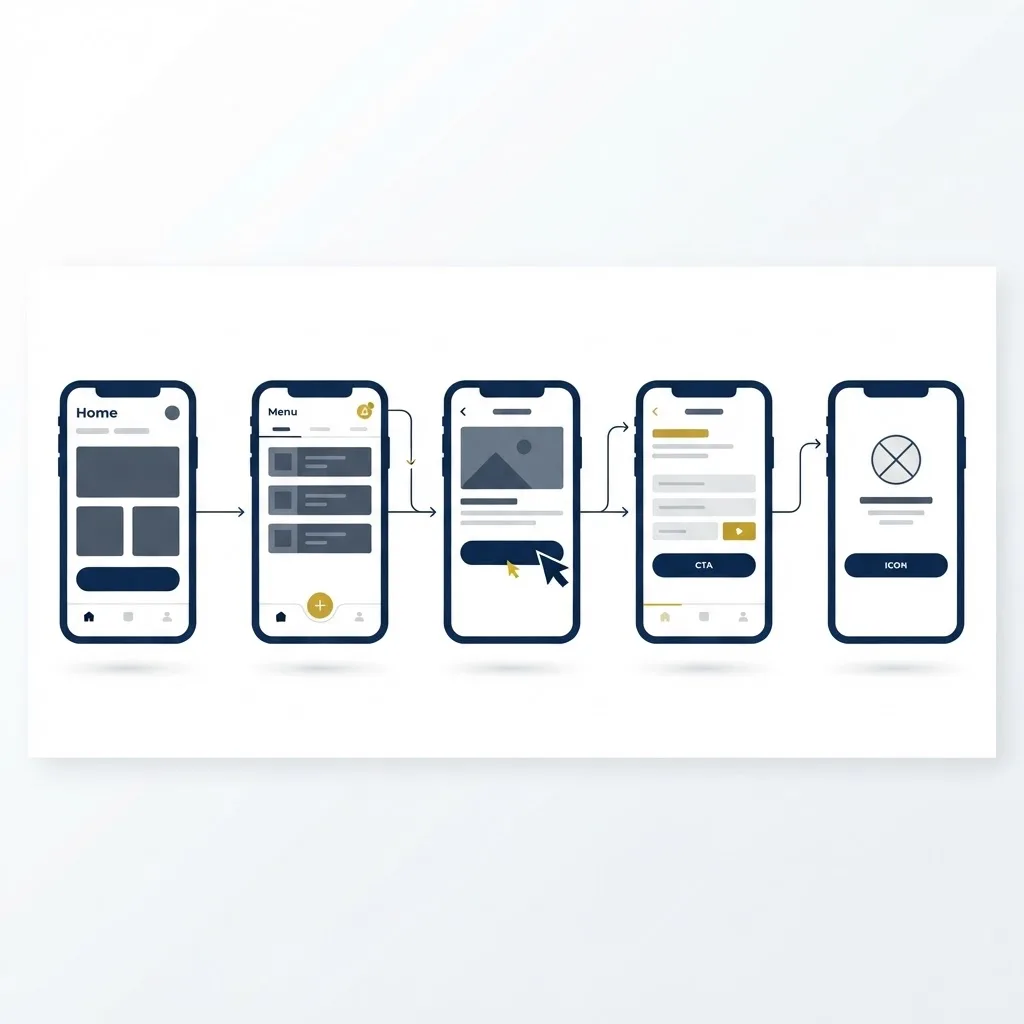
Interfaces are made of words far more than most teams admit. Every button label, error message, tooltip, and confirmation screen is a sentence someone wrote, and each one either helps a person move forward or quietly stops them. UX writing is the discipline of getting those words right.
Unlike marketing copy, which persuades, UX writing removes friction. It is measured not in engagement but in task completion, support tickets avoided, and hesitation eliminated.
This article covers what UX writing involves, who practises it, how a proper process runs, and the specific habits that separate interfaces people navigate confidently from those they abandon halfway.
What Is UX Writing?
UX writing is the craft of creating the text inside a digital product so users can accomplish their goals with minimum confusion. It covers navigation labels, form fields, validation messages, onboarding flows, empty states, permissions requests, and confirmation dialogs.
The practice sits between design and content strategy. A UX writer works alongside designers and engineers from the wireframe stage, not after the interface is built, because the words often determine what the layout needs to be.
Good product language is invisible when it works and painfully obvious when it fails. Nobody praises a well-labelled button. Everyone remembers the error message that said 'something went wrong' and offered no way forward.
Who Practises User-Centered Content Design?
The role appears under several titles — UX writer, content designer, product content strategist — but the need shows up in any team shipping software.
- Product teams at SaaS companies where onboarding completion directly drives revenue.
- Fintech and healthcare products where unclear wording creates compliance and safety risk.
- Ecommerce platforms where checkout microcopy measurably affects cart abandonment.
- Design agencies delivering full product experiences rather than static visual comps.
- Startups where a single generalist owns both interface design and the words inside it.
Key Features of Strong UX Writing
Clarity Over Cleverness
A witty empty state is charming once. A confusing one costs a conversion every time. UX writing prioritises the plainest accurate phrasing, reserving personality for moments where the user is not trying to complete a task.
Consistency of Terminology
If the product calls something a 'workspace' on one screen and a 'project' on the next, users assume they are different things. Mature teams maintain a terminology glossary and enforce it in design reviews.
Actionable Error Handling
Every error message should state what happened, why, and what the user can do next. 'Invalid input' fails all three tests. 'Passwords need at least 8 characters and one number' passes all three.
Accessibility and Inclusivity
Content design includes alt text, screen-reader labels, reading level, and avoiding idioms that do not translate. Writing at a lower reading level helps everyone, not only those with access needs.
How to Build a UX Writing Process
Teams that treat product words as a design material rather than a final polish get dramatically better results. Here is a workable sequence.
- Audit the existing interface and catalogue every string, noting inconsistencies and dead ends.
- Build a voice and tone framework that defines how the product sounds when things go well and when they go wrong.
- Create a terminology glossary agreed by product, design, engineering, and support.
- Write content into wireframes at the earliest stage, using real text instead of lorem ipsum.
- Test the wording with five to eight users, watching where they hesitate rather than asking whether they like it.
- Iterate the copy, then instrument the flow to track completion, drop-off, and error frequency.
- Maintain the strings in a shared content system so updates do not require an engineering ticket each time.
Benefits of User-Centered Content
Improvements to interface language are among the cheapest performance gains available to a product team.
- Higher onboarding and checkout completion rates without any change to the visual design.
- Fewer support contacts, since clearer instructions prevent the questions from arising.
- Faster localisation, because consistent, plain source text translates cleanly.
- Stronger trust, as users feel the product anticipates rather than blames them.
- Reduced design debt, since deciding the words early prevents layouts built around placeholder text.
Potential Challenges
UX writing is often the last role hired and the first squeezed, which creates predictable friction.
- Being brought in after the design is finalised, leaving no room to fix structural problems.
- Character constraints in existing components that force awkward abbreviation.
- Stakeholders treating microcopy as a matter of personal taste rather than tested performance.
- Strings scattered across code repositories with no single source of truth.
Best Practices and Tips
Small habits produce outsized improvements in interface language quality.
- Use verbs on buttons that describe the outcome — 'Save changes' beats 'Submit' or 'OK' every time.
- Write the error states before the happy path; they expose gaps in the flow logic.
- Cut every sentence by a third and check whether anything essential was lost.
- Coordinate closely with the engineering side so string changes ship easily, which is far simpler on products built with component-driven React development.
Real-World Example
A subscription analytics tool saw sixty-two percent of new users abandon during a three-step account setup. No visual redesign was attempted. Instead the team rewrote fourteen strings: the step headings explained why each field was needed, the vague 'Configure your data source' became 'Connect the account you want to track', and every validation error named the exact fix.
Setup completion rose to eighty-one percent within a month, and setup-related support tickets fell by roughly half. The engineering effort was two days. The impact exceeded a quarter of feature work.
Why UX Writing Matters
Users do not experience your architecture, your roadmap, or your design system. They experience a sequence of screens containing instructions. If those instructions are ambiguous, the quality of everything behind them becomes irrelevant.
As products grow more capable, the interface has more to explain in less space. That pressure makes deliberate, tested, user-centered content one of the highest-leverage investments a product team can make — and one of the few that improves accessibility, conversion, and support costs simultaneously.
Frequently Asked Questions
What is the difference between UX writing and copywriting?
Copywriting persuades someone to choose a product; UX writing helps someone use it. Copy lives on marketing pages and is measured in conversions, while UX writing lives inside the product and is measured in task success and error rates.
Do small teams need a dedicated UX writer?
Not always, but someone must own the words. Many small teams assign interface language to a designer or product manager with a documented voice guide and glossary, which captures most of the benefit.
How do you test UX writing?
Run moderated task-based sessions where users attempt a goal and you observe hesitation, misclicks, and re-reading. Then validate with quantitative A/B tests on completion rates for high-traffic flows.
What reading level should product content target?
Aim for roughly a grade six to eight reading level for consumer products and no higher than grade ten for technical tools. Lower reading levels reduce cognitive load for every user, including experts in a hurry.
Conclusion
UX writing is not decoration applied at the end of a design cycle. It is a structural material that determines whether people succeed inside your product, and it responds to research and testing exactly like any other design decision.
Start by auditing your error messages and your onboarding — those two areas almost always contain the fastest wins. When you are ready to rebuild the experience around clearer content, explore custom web application development.